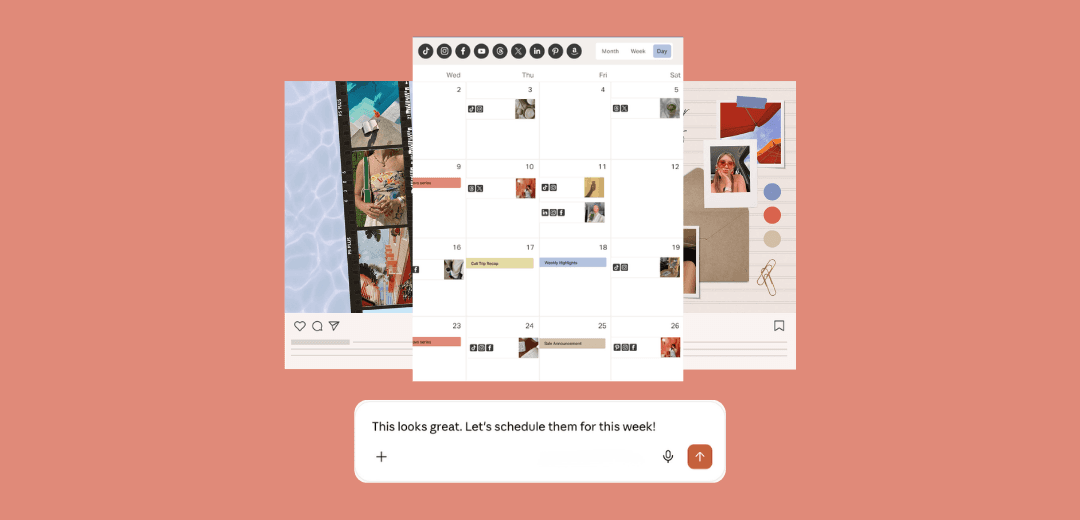
Stephanie Urbaetis designs and makes fine jewelry under her own name. After eight years selling to other brands, she took Urbaetis Fine Jewelry direct to customers, and Instagram (@urbaetisfinejewelry) became her storefront. She plans her grid in Planoly and had recently connected it to ChatGPT. We got on a call to show her what the two can do together, and she ran her first real workflow with us.
The business
How did Urbaetis Fine Jewelry start?
I've been in the jewelry industry for about nine years. We started as a B2B company. I design and manufacture all of our pieces, in 14-karat and natural gold, with diamonds. For about eight years we made jewelry for other businesses.
When did you start selling direct?
Over the last year. We decided to move into direct-to-consumer and retail alongside the B2B work.
How did that change your social media?
When you're B2B, you don't need as much community or engagement. We had a very clear social strategy for that. Retail needs different artwork, a different creative direction, all of it.
Who's behind the brand day to day?
Me, and a social media manager I work with. I'm the designer, so the look is mine. I'm very specific about how things look, down to the mechanics and measurements.
Planning the feed
Why did you pick Planoly?
I wanted control over everything visual. I need to see how my grid looks before anything goes up. That's what I downloaded Planoly for.
Walk us through how a post comes together.
Once or twice a month, my social media manager and I shoot new content. Most of it is on our phones, and it goes into a shared Apple album. I pick my favorite photos and put them into Planoly as drafts, so I can see everything together.
What are you looking for when you lay out the grid?
The rhythm. Right now I alternate an on-figure shot with a product shot, an architecture shot or some kind of filler, sometimes a carousel. I'm looking at which colors sit next to each other, and how the way one photo is shot works with the one beside it.

What did the process look like after that?
Too many apps. I'd take an image out of Planoly, edit it in Lightroom or Photoshop, then move it to Google Drive and Google Sheets for approval, and then it would get posted through another tool. Planoly was my visual album, and everything else happened somewhere else.
Planoly and ChatGPT
When did AI come into the picture?
I'd been working in ChatGPT for a long time. It has my caption-writing project and a weekly scan of my Instagram. When I connected it to Planoly, I started getting weekly insights. Then I asked it to plan my grid, and it went wrong.
What happened?
It pulled from all of my drafts and made up its own images that looked like mine. I wasn't giving it enough guidance. It didn't know my style.
What was the first thing you tried on our call?
Teaching it my look. I opened a fresh chat and asked:
It looked at product versus lifestyle shots, negative space, color temperature, crop, scale and mood. Then it found the pattern I plan by instinct: person, object, person, object. It was more detailed than I expected. Now I have my style in writing, and I can point ChatGPT to it every time.
Once ChatGPT knew your style, what did you ask it to do?
My favorite shots live in a folder called USED in my Planoly media library. So I asked:
It picked three photos, wrote a caption for each, and the drafts showed up in my Planoly grid. They were my photos. It didn't generate anything. It chose twisted gold earrings in our box, a pearl-drop earring on a model, and a gold lighter styled with rings. I loved those three together. It got my colors and my look.

What surprised you?
I thought the Planoly connection lived in one chat. It works in every chat. I already have a caption-writing project in ChatGPT with my brand voice, so if I plan posts from that project, the captions come out sounding like me. Djordje also told me to have it look at each image before it writes. One caption from the call: "Gold, diamonds, and a very good excuse to stay out."

What are you going to try next?
Photo editing. I edit everything in Lightroom right now. ChatGPT can brighten a dark phone photo, fix the angle, or give me three versions to pick from. I wrote that one down.
Could any of this run on its own?
That's the plan. Once I like the flow, I'll schedule it in ChatGPT: every Monday at 9 a.m., nine drafts waiting in Planoly. I review them, tweak what I want, and tell it to schedule everything at the best times to post. I still approve every post.
What's next
What are you adding next?
Scheduling through Planoly, so planning and posting live in one place. TikTok and Pinterest too. The same drafts can go to every channel with a caption written for each one, and my weekly summary will cover all of them.
What would you tell another business owner starting out with this?
Give it guidance. My first try failed because ChatGPT didn't know my style, so it guessed. Write your look down first, then point it at your own photos. Djordje's advice was to go prompt by prompt until you like the flow, then put it on a schedule.
Shop Urbaetis Fine Jewelry
Urbaetis makes diamond and 14k gold fine jewelry in New York City, designed by Stephanie Urbaetis. Shop the collection at urbaetisfinejewelry.com and follow along on Instagram at @urbaetisfinejewelry.
The pieces pictured here:
- Twisted Gold Doorknocker Earrings
- Graduated Pearl Drop Earrings
- Deco Link Diamond Bangle
- Round Diamond Border Signet Ring
Plan your feed like Stephanie
- Connect Planoly to ChatGPT with Set up the Planoly MCP.
- Put your photos in a Planoly media library folder.
- In a fresh chat, ask ChatGPT to describe your visual style from your last 30 posts. Correct it, then have it save the guide.
- Ask it to create your next three posts from that folder, following the guide.
- Review the drafts in your Planoly grid and schedule the ones you like.
For captions in your own voice, read How to Build a Brand Voice Using AI. For what ChatGPT can and can't do in your account, read What Your AI Agent Can (and Can't) Do With Planoly.