Social media that
books weddings, on autopilot.
A week of Instagram, Pinterest and TikTok posts in one sitting, scheduled to go live while you shoot and edit. Plus a steal-this library of free Canva templates for wedding photographers and videographers.
- TikTok
- Canva-ready templates
This week, scheduled
Autopublish on- Mon

- Tue

- Wed
![A black-and-white couple walking up the steps of a grand venue, under the title "Photographing [venue]: a photographer’s guide".](https://planoly-prod.imgix.net/website/shared/authored/weddingpros/venue-guides-bd70e1813250ac14458c8fd394c77b3a994d1252621ce621cedfe526b86c7807.jpg?auto=format%2Ccompress&fit=max&w=3840)
- Thu
![A "Real wedding at [venue], [city]" card between a photo of a stone courtyard set for a reception and a couple in a vineyard.](https://planoly-prod.imgix.net/website/shared/authored/weddingpros/real-wedding-205ee3f9b3169d96d46b325cc6d06582264456d2ef5be32a5f4c511843b6c163.jpg?auto=format%2Ccompress&fit=max&w=3840)
- Fri

- Sneak peek carouselInstagram · Mon 9:00
- Pin: Carmel wedding photosPinterest · Thu 8:00
Couples see your work before they ever inquire.
- 81%
of couples said photos and examples of work were the most important factor in choosing a photographer, ahead of price.
Source: The Knot, 2026 Real Weddings Study
- 87%
of couples made wedding-planning choices based on something they saw on social media.
Source: Zola, 2026 First Look Report
- 77%
of couples use Pinterest for wedding inspiration.
Source: Zola, 2026 First Look Report
“You have no idea what will get you a client and what won’t… So I’m a huge advocate on posting a lot. You have no idea the opportunities that can come.”
Schedule all your content in one sitting
Weekends go to shooting and weekdays go to culling and editing. From May to October the calendar is full: 76% of couples marry in those months. So posting “when you have a minute” means going quiet just as next year’s couples start looking, and about 47% get engaged between November and February. Block one sitting a week, line up your posts, and schedule them ahead with a tool like Planoly. You look active every day, and you stay fresh for every couple who finds you.
Step 1: Connect your socials
Link Instagram, Pinterest and TikTok (and YouTube for your full films) to one calendar.
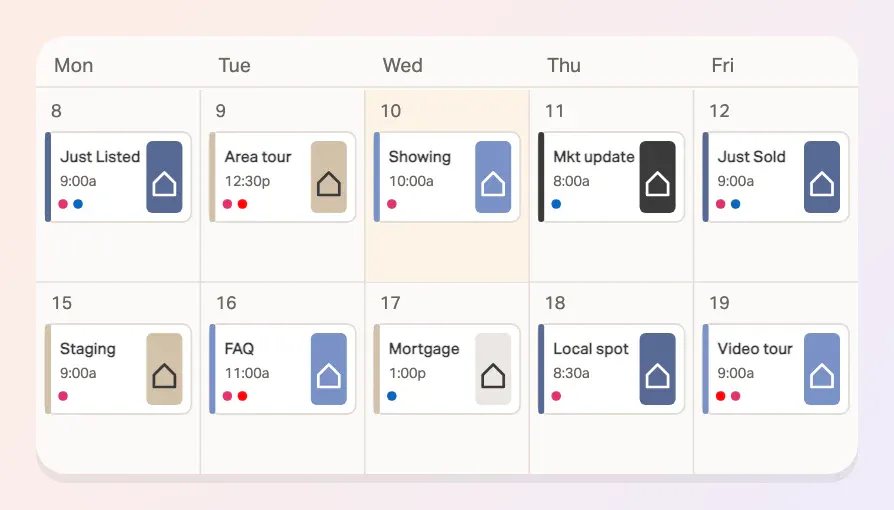
Step 2: Schedule days ahead
Drop in a week of sneak peeks, tips and spotlights in one sitting, on a quiet Tuesday or the night after a delivery.
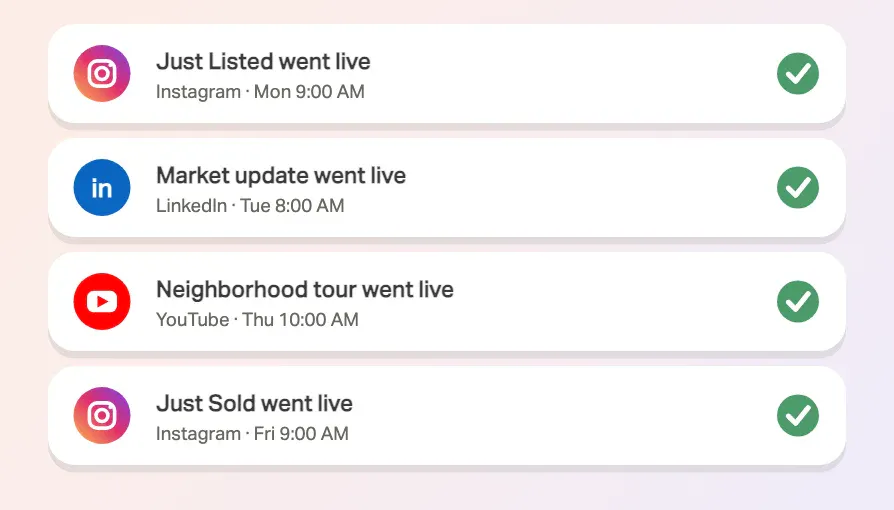
Step 3: Autopublish
Your posts go live while you’re shooting a Saturday wedding. No reminders, no last-minute scrambling.
“Social media, not knowing what to post or having the time to come up with ideas/ execute them.”
14-day free trial. Schedule your first week today.
“But what do I post?”
Everyone gets stuck here. Steal a template below: drop in your own photos or clips, edit the caption, and schedule.
Recurring wedding templates
Every wedding is a week of posts. Set these up once and reuse them each time. These are free Canva templates: open one in Canva (a free account works), make it yours, then schedule it in Planoly.
Sneak peeks: sneak peek carousel
[Couple names] at [venue]. The moment I can’t stop thinking about: [one detail from the day]. Full gallery soon. Shared with their OK.
Open in Canva ↗canva.link/1kt40sqsxkn9kzcThen schedule it in Planoly.Try Planoly free →![Slide 2 of 10 of a wedding-day carousel: a bride in a towel turban doing her makeup by a window, above the time "[10:00]" and "Getting ready".](https://planoly-prod.imgix.net/website/shared/authored/weddingpros/full-story-carousel-239d9eb786b4b6473dc5e17f55dbf4e6f2f6397bee8ab891960efb87637ba011.jpg?auto=format%2Ccompress&fit=max&w=3840)
Real weddings: full-story carousel
From getting ready to the last dance at [venue]. Swipe for the whole day. Shared with their permission.
Open in Canva ↗canva.link/fajri77ntpbykjnThen schedule it in Planoly.Try Planoly free →Add your photo. Schedule it in Planoly.
Open a template in Canva, drop in your own image, then line it up on your Planoly calendar and let it autopublish. Free for 14 days.
Try Planoly free
Recurrent content templates
Formats you can run every week or month, in your own voice, for your own couples. Steal any of them.
Venue guides
Photographing [venue]: the spots, the light and the rain plan. Planning at [venue]? Let’s talk.
Open in Canva ↗canva.link/xchk99wyf294fbiThen schedule it in Planoly.Try Planoly free →
Planning tips
[5] things couples regret about their timeline. Save this for your planning.
Open in Canva ↗canva.link/4ytyk47fdnu12d0Then schedule it in Planoly.Try Planoly free →FAQ Friday
FAQ Friday: [how long until we get our gallery?] [Your real answer.] Got a question? DM me and it might be next.
Open in Canva ↗canva.link/vupwd2dee49g79hThen schedule it in Planoly.Try Planoly free →
Real problem, how I solved it
[It poured on the wedding day.] Here’s what I did, and what it means for your day.
Open in Canva ↗canva.link/ya8tap86fk3yrorThen schedule it in Planoly.Try Planoly free →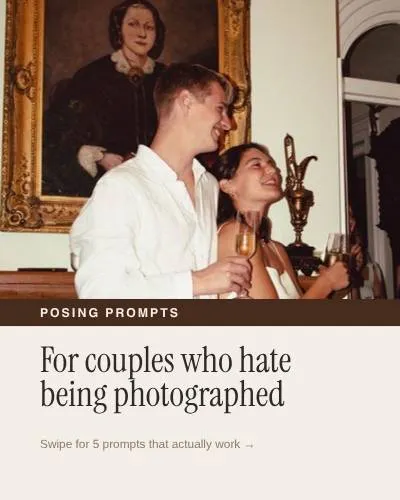
Posing prompts
Prompts for couples who hate being photographed. Try #[3] at your engagement session.
Open in Canva ↗canva.link/etssqn7okup9iu4Then schedule it in Planoly.Try Planoly free →![A photographer taking a selfie in a car’s side mirror, with "Hi, I’m [name]" and "wedding photographer & videographer".](https://planoly-prod.imgix.net/website/shared/authored/weddingpros/meet-the-photographer-296b88266f7ac7c089092d41de72a2b87ff3043db4c3db916557ca225d490ff6.jpg?auto=format%2Ccompress&fit=max&w=3840)
Meet the photographer
Hi, I’m [name]. Five things about me, and why I love [your style] weddings.
Open in Canva ↗canva.link/x23mv2l0ssxh394Then schedule it in Planoly.Try Planoly free →

Storytelling carousel
[They planned this for two years.] Swipe for the rest of their story. Tell me about your wedding.
Open in Canva ↗canva.link/0pdkevsqwfboa1fThen schedule it in Planoly.Try Planoly free →
The team behind the day
The team behind [couple names]’ day: [planner], [florist], [HMUA]. Tag a vendor you loved working with.
Open in Canva ↗canva.link/s6ndf03k6kq3pnwThen schedule it in Planoly.Try Planoly free →Getting the shot
How I got this shot: [backlit, flash behind the veil]. Swipe for the final.
Open in Canva ↗canva.link/na39uuqdlp1w4rjThen schedule it in Planoly.Try Planoly free →
Raw vs edited
Straight out of camera vs. edited. My approach: [one line on your editing style]. Swipe to see the before.
Open in Canva ↗canva.link/6uxdc3cuhtqii6mThen schedule it in Planoly.Try Planoly free →
How they met
[Couple names] met [where]. The proposal, in one sentence: [answer]. Shared with their permission.
Open in Canva ↗canva.link/9litcgvxdl0wfjqThen schedule it in Planoly.Try Planoly free →Real wedding at [venue]
A real wedding at [venue], [city]. My favorite spot there: [spot], best at [time]. Tag the venue!
Open in Canva ↗canva.link/9nn98kiulhh0t0fThen schedule it in Planoly.Try Planoly free →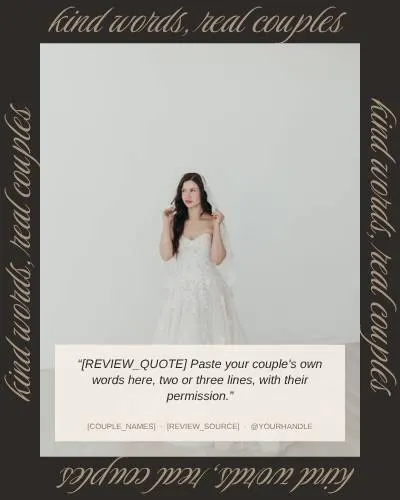
Testimonial
“[Their real words.]” [Couple names], [season year]. Shared with their written OK.
Open in Canva ↗canva.link/sqim9vldikahotcThen schedule it in Planoly.Try Planoly free →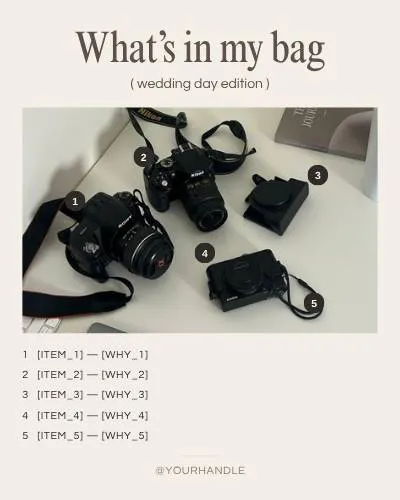
What’s in my bag
Everything I bring to a wedding day, and why. #[3] has saved more than one timeline.
Open in Canva ↗canva.link/fj4zzuzx272ydkvThen schedule it in Planoly.Try Planoly free →![A domed, candlelit ceremony hall with the labels "[vendor role] spotlight" and "[vendor name]".](https://planoly-prod.imgix.net/website/shared/authored/weddingpros/vendor-spotlight-693eeccc0fbd36eca902eef918d3ffdbae9accfc399504c028a632b6c338c12e.jpg?auto=format%2Ccompress&fit=max&w=3840)
Planner and vendor spotlight
Working with [vendor name] at [wedding]: [one genuine compliment]. Tag a planner you love.
Open in Canva ↗canva.link/ca1oq2k2nredpbnThen schedule it in Planoly.Try Planoly free →
Book next year’s weddings while you’re shooting this year’s.
Nov – Feb
Engagement season
About 47% of couples get engaged in these months, so post your availability, engagement sessions and FAQs. Source: The Knot, 2025 Real Weddings Study
Mar – Apr
Batch ahead
Schedule the posts for peak season before it starts. One sitting now saves a lot of late nights in June.
May – Oct
Let it autopublish
76% of couples marry in these months. Run sneak peeks from this season while you shoot. Source: The Knot, 2026 Real Weddings Study
Keep it simple, and keep showing up.
Rotate three types
Mix educational posts (tips for couples), personal posts (you, your process, behind the scenes) and portfolio posts (real weddings). A feed of only portfolio shots gets scrolled past. Couples book the person.
Pick one home base
Posting everywhere is the fastest route to burnout. Start on Instagram, then turn every gallery into Pins and every behind-the-scenes clip into a Reel or TikTok. TikTok is optional.
Turn views into inquiries
Treat your profile as a landing page: your style, where you shoot, and one link to your inquiry form. End posts with one call to action, like “Comment DATE to check availability.” Planoly Auto DMs can send the link automatically.
Templates look legit when the background does.
Capture the everyday moments around the wedding: the gear bag, window light in the getting-ready suite, the culling screen, the drive to the venue, the vendor team setting up, a golden-hour walk. Keep your favorite clips and frames in your Planoly media library, so they’re ready when you sit down to batch.
- Gear bag

- Getting-ready light

- The culling screen

Let Claude run your socials, too.
Templates give you the look. Connect Planoly to Claude and the same conversation can write your posts, line them up on your calendar, queue them to autopublish, and tell you what’s working. Hand off the busywork and get your hours back.
Start here. It takes 2 minutes.
Do these two steps first, or the prompts below won’t work. It’s the most secure way to give Claude access to your socials.
Step 1: Connect your socials to Planoly
Link Instagram, Pinterest, TikTok, YouTube and your other accounts in one place, so you get a single planner for everything you post.
Create Planoly account →Step 2: Add the Planoly Claude connector
Once your socials are connected, click below. Or just tell Claude:
add the planoly claude connectorAdd the Claude connector →Step 3: Paste a prompt and review
Open a chat with Claude and paste one of the prompts below. Claude shows you everything before it goes out, so nothing is published without your OK.
You’ll need a paid Claude plan (Pro, Max, Team or Enterprise). The free tier can’t use connectors.
Here are the details of a recent wedding: [venue, season, style, three favorite moments, vendor team handles]. The couple has given written OK to share. Create 4 posts: a Reel caption for the highlight clip, a gallery carousel, a Pinterest Pin title and description with keywords, and a Story poll. Using my Planoly account, schedule them across next week at good times for each channel, and leave them as drafts so I can review.Plan my next 5 days of posts for [Instagram / Pinterest / TikTok] using this mix: one couple tip, one behind-the-scenes, one real wedding with context, one vendor or venue spotlight, one FAQ. I'm a wedding [photographer / videographer] in [region]. Write the captions, then schedule them in my Planoly account as drafts and tell me what images or clips I still need to add.Look at my last 30 days of posts in Planoly. Which formats got the most saves, comments, profile visits and inquiry-link taps? Tell me what to post more of next month, and draft next week's plan around it.Ask Claude to keep score and keep you covered, too: a weekly recap of posts shipped and inquiries, and a check of every draft for couple permission and model releases, vendor credits, licensed music on Reels, and no private guest details (general guidance, not legal advice). More prompts for posting from Claude live at claudeguide.planoly.ai.
Sources
- The Knot, 2026 Real Weddings Study (81% chose a photographer on photos/examples of work; 76% marry May to October).
- Zola, 2026 First Look Report (87% made planning choices from social media; 77% use Pinterest for inspiration).
- The Knot, 2025 Real Weddings Study (about 47% get engaged November to February).
- Koko King, wedding photographer, Imagen AI Podcast Ep. 64, July 2025.
- Sara Does SEO, 2025 Wedding Pro Survey (December 2025).
Never go quiet on social again.
Get every template in the wedding library, free, and schedule them in Planoly with a 14-day free trial.
Try Planoly free